Boomi vs Mulesoft Pricing: A Detailed Comparison Guide
When you start comparing iPaaS vendors, Boomi and Mulesoft land on nearly every shortlist. Both move data between systems, expose APIs, and handle transformation logic. But the way they charge for that work is very different, and the pricing structures reflect two distinct philosophies about what an integration platform should be. Boomi leans toward a flat subscription tied to connectors and shapes. Mulesoft builds pricing around tiers, capacity units, and feature entitlements that scale with enterprise demands. If you only look at list prices, you miss the real cost picture. Licensing terms, support tiers, connector counts, and runtime capacity all push the final bill in directions the sales deck will not highlight. This guide breaks down how each vendor structures pricing, what drives costs up or down, and where the hidden expenses tend to hide. The goal is to give you a clear framework for evaluating quotes so you can negotiate from a position of knowledge rather than reacting to whatever the account rep puts in front of you.
Compare Boomi and Mulesoft pricing models, features, and costs to make an informed decision for your integration needs
Introduction to Boomi and Mulesoft
Boomi and Mulesoft both sit in the integration platform as a service category, but they approach the problem from different angles. Boomi, owned by Dell Technologies and later spun out, built its reputation on a low-code visual designer that lets integration teams stitch together systems without writing much code.
- The platform runs in the cloud, and you build, test, and deploy integrations through a browser-based interface.
- Mulesoft, now part of Salesforce, started as an open source runtime and grew into a full enterprise integration suite.
- It supports both cloud and on-premises deployment, and its Anypoint Platform bundles API design, management, and runtime into a single product family.
The philosophical split matters for pricing because Boomi wants you to think in terms of shapes and connectors, while Mulesoft wants you to think in terms of capacity units, environments, and feature tiers. Boomi appeals to mid-market companies and teams that want to move fast without hiring a large integration engineering group.
Mulesoft targets larger enterprises that need governance, reusable assets, and tight control over API lifecycles.
Neither platform publishes transparent list pricing, which means you will be negotiating with a sales team and comparing quotes that may not map cleanly to each other.
Understanding the architectural differences before you start that conversation helps you avoid paying for capacity you do not need or getting stuck with a platform that cannot handle your volume.
Boomi Pricing Model
Boomi structures pricing around a subscription model tied to what it calls shapes. A shape is essentially a unit of integration work, and your plan determines how many shapes you can deploy, how many connectors you can use, and what features are available to you.
- The vendor offers several editions, ranging from a starter tier aimed at small teams to enterprise plans that include API management, master data management, and advanced deployment controls.
- The cost depends on the number of connections you need, the volume of data flowing through the platform, and which features you want turned on.
- Boomi also sells add-ons for things like EDI, B2B management, and Flow, its workflow automation product.
The subscription model has an appealing quality: you pay a predictable annual fee and can build as many integrations as your shape allowance supports. That predictability helps with budgeting, especially for mid-market companies that cannot afford surprises. But the model has a sharp edge.
If you underestimate your shape requirements, you end up upgrading mid-contract, and the per-shape cost at that point is rarely discounted.
Premium connectors and certain high-volume data operations can also trigger additional fees that the initial quote may not mention. The free trial lets you test the platform, but it will not give you a real sense of pricing for production-scale workloads.
You need to push the sales team for a quote based on your actual integration count, your expected data volume, and the specific connectors you plan to use.
Without that detail, you are guessing at a budget that could shift significantly once you go live.
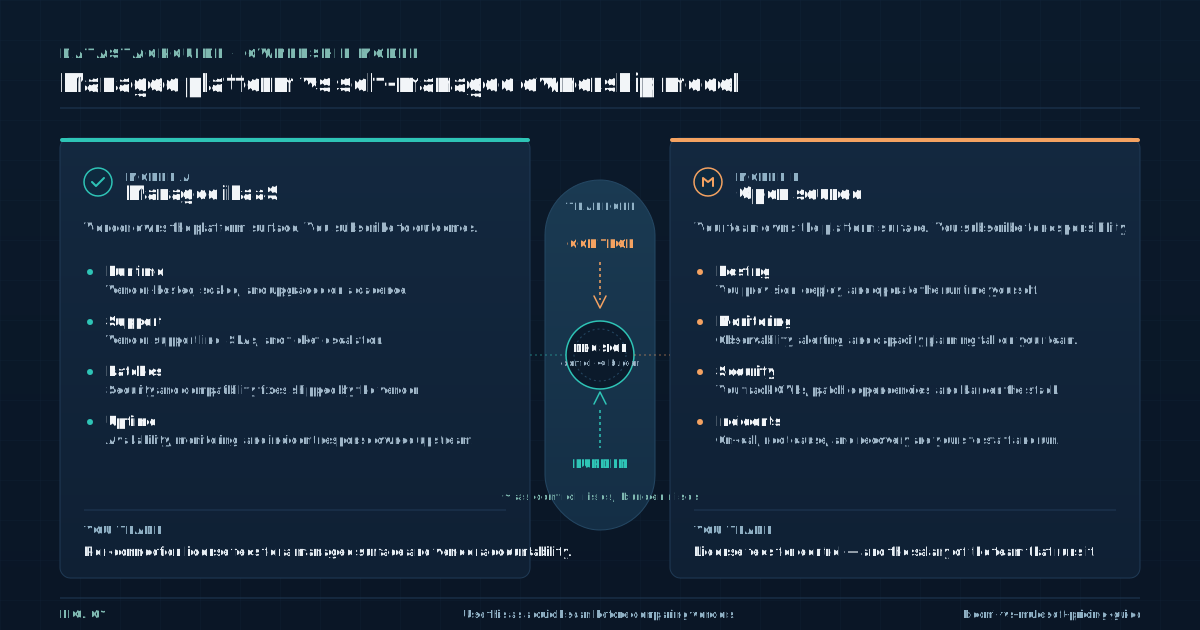
Mulesoft Pricing Model
Mulesoft uses a tiered pricing structure built around capacity units called vCores and feature entitlements grouped into editions. A vCore represents a unit of processing capacity allocated to run your integrations and APIs. You purchase a pool of vCores and distribute them across environments, applications, and runtime instances.
- The edition you select determines which features are available, such as API manager, Anypoint Studio, runtime fabric, and advanced governance tools.
- Mulesoft offers multiple tiers, and each tier unlocks additional capabilities, higher support levels, and more deployment flexibility.
- The cost scales with the number of vCores, the edition, and any add-on products you select.
This model has a logic to it: you pay for processing capacity and feature access, and you can reallocate vCores as workloads change. For large enterprises with predictable API traffic, this works reasonably well. For smaller organizations or teams with sporadic integration needs, the model can feel heavy and expensive.
Mulesoft does not publish list prices, and quotes vary widely based on deal size, contract length, and relationship with Salesforce.
The complexity of the pricing structure creates a real risk: you may purchase too many vCores and overspend, or too few and face overage charges and performance bottlenecks. The sales process also tends to bundle in professional services and premium support, which inflates the total contract value beyond the platform license itself.
You need to ask specific questions about vCore sizing, environment counts, and what happens when you exceed your allocated capacity. Without those answers, the quote is a number without context.
Comparison of Boomi and Mulesoft Features
Both platforms cover the core integration needs: connecting applications, transforming data, managing APIs, and handling errors. The differences show up in how they approach those tasks and what they charge for the privilege. Boomi emphasizes a visual, drag-and-drop development experience.
- Its library of pre-built connectors is broad, and the platform makes it easy to build integrations quickly without deep coding knowledge.
- Boomi is less suited for highly complex orchestration scenarios where you need fine-grained control over routing, error handling, and protocol-level behavior.
- It gives developers deep control over every aspect of the integration, supports a wide range of protocols and data formats, and includes a full API management lifecycle from design to deployment to deprecation.
That speed comes with tradeoffs. Mulesoft takes the opposite approach. That power demands more skilled developers and longer build cycles. Mulesoft also pushes an API-led integration philosophy that encourages building reusable assets, which can reduce long-term development costs if your team commits to the methodology.
From a pricing perspective, the feature comparison matters because both vendors charge for advanced capabilities. Boomi sells API management and master data management as separate add-ons. Mulesoft bundles API management into higher tiers but restricts it in lower editions.
When you compare features, you need to map each capability you require against the edition or add-on that includes it, then price accordingly.
A feature checklist without pricing context leads to bad decisions. The vendor that looks cheaper on paper often costs more once you add the modules your architecture actually requires.
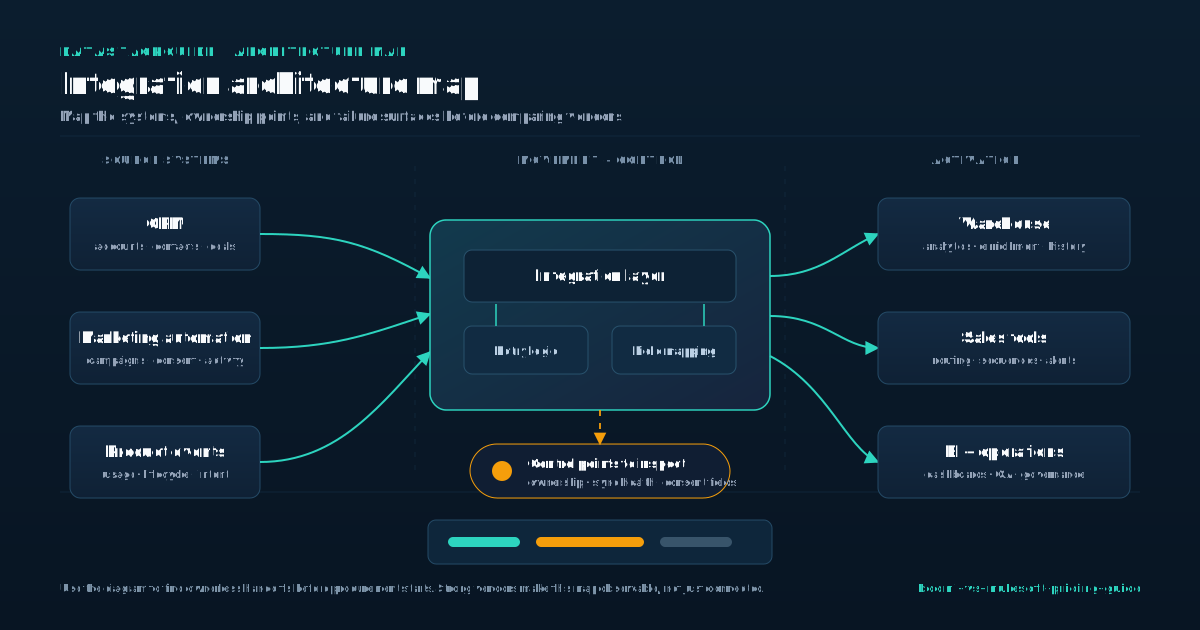
Cost Factors to Consider
Pricing for both platforms depends on variables that vendor marketing materials tend to gloss over. The number of connections or connectors is the first driver. Boomi counts shapes and connector usage, while Mulesoft counts vCores and API transactions.
- High-throughput integrations consume more capacity on either platform, and both vendors will price accordingly.
- Development, testing, staging, and production environments each consume resources, and some editions limit how many environments you can deploy.
- Standard support is included, but premium support tiers with faster response times and dedicated resources add significant cost.
Data volume is the second factor. The third factor is environments. The fourth factor is support level. The fifth factor is add-on products.
Boomi sells Flow, EDI, and master data management separately. Mulesoft sells Anypoint API Community Manager, runtime fabric, and premium connectors as extras. The sixth factor is professional services. Both vendors offer implementation services, and many customers end up purchasing them because the platforms have learning curves that internal teams underestimate.
The seventh factor is contract length and negotiation. Multi-year contracts typically yield better per-unit pricing, but they lock you into a platform before you fully understand your needs. You should build a cost model that includes all these factors, not just the base license fee.
Ask each vendor to quote based on your specific integration count, data volume, environment requirements, and support expectations.
Then compare the total cost of ownership over three years, including expected growth in integration volume. That number tells you far more than a list price ever will.
Case Studies and Use Cases
The right platform depends heavily on the shape of your integration workload. Consider a mid-market retail company that needs to connect its e-commerce platform, inventory system, and accounting software. The integrations are straightforward point-to-point connections with moderate data volume.
- The visual builder lets a small team build and maintain these integrations without hiring specialized developers, and the subscription model keeps costs predictable.
- The company can start with a mid-tier plan and upgrade as it adds connections.
- Now consider a large financial services firm with hundreds of internal APIs, strict governance requirements, and a mix of cloud and on-premises systems.
Boomi fits this scenario well. Mulesoft is the better fit here. The platform handles complex orchestration, supports reusable API assets, and gives architects the control they need over routing, security, and error handling.
The vCore model lets the firm scale capacity as transaction volumes grow, and the API management lifecycle supports governance at a level Boomi struggles to match.
A healthcare organization falls somewhere in between. It needs HIPAA compliance, moderate integration complexity, and a mix of cloud and on-premises connections. Either platform could work, and the decision should come down to total cost over three years and the availability of skilled developers.
The point is that use cases drive pricing as much as vendor rate cards do.
You need to understand your integration patterns, volume, and team capabilities before you can evaluate whether a quote is reasonable for your situation. A quote built on assumptions rather than real requirements will always miss the mark.
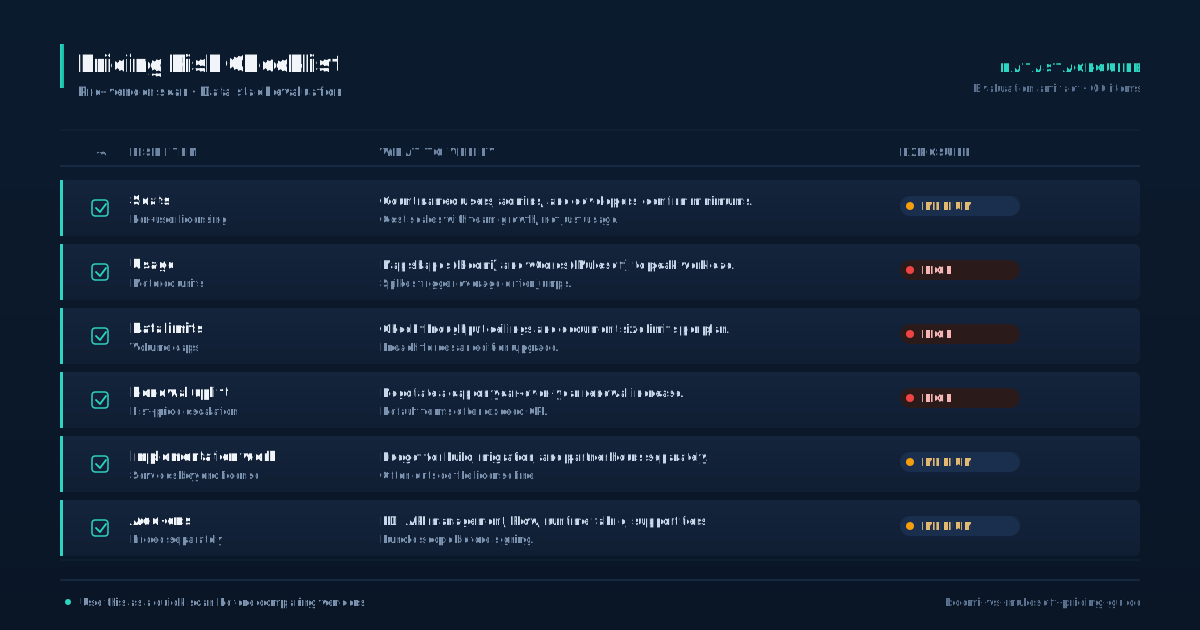
Security and Compliance
Boomi ships with data encryption in transit and at rest, multi-factor authentication, and role-based access control. The platform carries SOC 2 and ISO 27001 certifications, and you can configure it to meet GDPR and HIPAA requirements without buying separate compliance modules.
Advanced security features like single sign-on and threat protection sit behind higher-tier editions or add-ons, which pushes cost upward if your security team requires them.
- Mulesoft matches that baseline with encryption, authentication, and role-based access controls.
- Its certification set includes SOC 2, ISO 27001, and FedRAMP for specific deployment configurations.
- Mulesoft also enforces security policies through its API manager, allowing you to apply rate limiting, tokenization, and custom rules at the gateway level.
Those policies come bundled in higher-tier editions but face restrictions in lower ones. Security features rarely appear as a separate line item on either quote, but they determine which edition you must buy. If your organization needs FedRAMP certification, Mulesoft may be the only viable path depending on your deployment model.
If you need basic encryption and access control, both platforms include those in standard editions.
Map your compliance requirements against the editions each vendor offers and confirm which security features ship included versus sold separately. Do not assume a standard tier covers everything your security team expects.
The gaps tend to surface during implementation, not during the sales cycle, and fixing them mid-project means buying upgrades at list price with no negotiating power.
Decision Framework
Choosing between Boomi and Mulesoft comes down to four questions that should drive your evaluation. First, how complex are your integrations? If you are building mostly point-to-point connections with moderate data transformation, Boomi will get you live faster and at a lower total cost.
- If you are building complex orchestrations with reusable API assets and strict governance requirements, Mulesoft is the stronger architectural fit.
- Boomi works well with generalist integration analysts who can use a visual builder.
- Mulesoft requires experienced developers comfortable with Java, XML, and API design principles.
Second, what does your team look like? Hiring for Mulesoft is harder and more expensive, and that cost belongs in your total cost model. Third, how will your volume grow over three years? Both platforms scale, but the cost curves differ.
Boomi charges per shape, so adding integrations increases your subscription cost in steps. Mulesoft charges per vCore, so adding capacity increases cost based on processing needs. Model both scenarios against your expected growth. Fourth, what is your tolerance for vendor lock-in?
Both platforms create dependency, but Mulesoft's API-led approach produces reusable assets that have some value outside the platform. Boomi's integrations are harder to port elsewhere. Get quotes from both vendors based on the same integration inventory, environment count, and support level. Compare the three-year total cost of ownership, including expected growth and professional services.
That comparison, not the feature list, should drive your decision.
Sources
Frequently Asked Questions
What is the main pricing difference between Boomi and Mulesoft?
Boomi prices on a subscription model tied to shapes and connectors, giving you a predictable annual fee based on integration count.
Mulesoft prices on a tiered model built around vCore capacity units and feature entitlements, so cost scales with processing power and edition level.
Does either Boomi or Mulesoft publish list prices?
No. Both vendors require you to contact sales for a quote. Final pricing depends on your integration count, data volume, environment requirements, support tier, and contract length. This makes direct price comparison difficult without a detailed requirements document.
What hidden costs should I watch for with Boomi?
Premium connectors, add-on products like Flow and master data management, additional shapes beyond your plan allowance, and support tier upgrades can all push costs above the initial quote.
Ask the sales team to price based on your actual integration inventory, not a generic package.
What hidden costs should I watch for with Mulesoft?
Additional vCores if you underestimate capacity, premium support tiers, professional services for implementation, and add-on products like runtime fabric or API Community Manager. Overestimating vCores also wastes budget, so size carefully based on expected transaction volume.
Which platform is cheaper for small to mid-market companies?
Boomi generally costs less for mid-market integration workloads because its subscription model is simpler and the visual builder requires less specialized development talent. Mulesoft tends to be more expensive due to its enterprise focus and the need for skilled developers.
Can I negotiate pricing with either vendor?
Yes. Both Boomi and Mulesoft negotiate on price, especially for multi-year contracts or larger deals. Come prepared with a detailed integration inventory, expected volume, and competing quotes.
Vendors are more flexible when they see you have done the homework and are evaluating alternatives.

Rome Thorndike
Rome Thorndike is the CEO & Founder of Provyx, which provides GTM intelligence and data validation for healthcare companies, including EngagedMD and BTL Industries. He led sales at Datajoy, acquired by Databricks, and sold analytics and enterprise platforms at Microsoft and Salesforce.
Connect on LinkedIn