Informatica Cloud Data Governance, Access, and Privacy: A Plain-Spoken Guide for Operators
If you're evaluating Informatica Cloud for data governance, access management, or privacy compliance, you've probably seen the marketing. This guide cuts through that. We'll walk through what the platform actually does for data cataloging, policy enforcement, access controls, and privacy automation, based on public documentation and practical implementation tradeoffs. No fake customer stories, no exact pricing claims, and no promises that can't be backed up. Just a clear look at the tools, their limits, and how to set them up without getting burned.
A practical guide to Informatica Cloud data governance, access controls, and privacy features. Covers what works, what doesn't, and how to set up without vendor hype.
What Informatica Cloud Actually Offers for Governance
Informatica Intelligent Data Management Cloud (IDMC) bundles several governance related products under one umbrella. You do not get a single governance tool. Instead you get a data catalog, a lineage service, a policy manager, and privacy modules.
- The catalog auto discovers metadata from sources like databases and cloud storage.
- But auto discovery often produces noisy, incomplete results.
- You will need to manually curate business terms, assign owners, and validate relationships.
Each works independently and requires separate setup. Lineage shows how data moves from source to target, but it depends on parsing SQL code and ETL jobs. If your pipelines use custom scripts or non standard transformations, lineage may be spotty.
Policy management lets you define rules for data access and usage, but enforcing those rules requires integration with other IDMC components or external systems. Privacy modules handle data masking and anonymization, but they are add ons with their own licensing. Before buying, map your specific governance needs to each module.
If you only need a catalog, consider lighter alternatives. If you need end to end governance, expect significant configuration and ongoing manual work. The platform is powerful but not plug and play.
Setting Up Data Cataloging Without the Sprawl
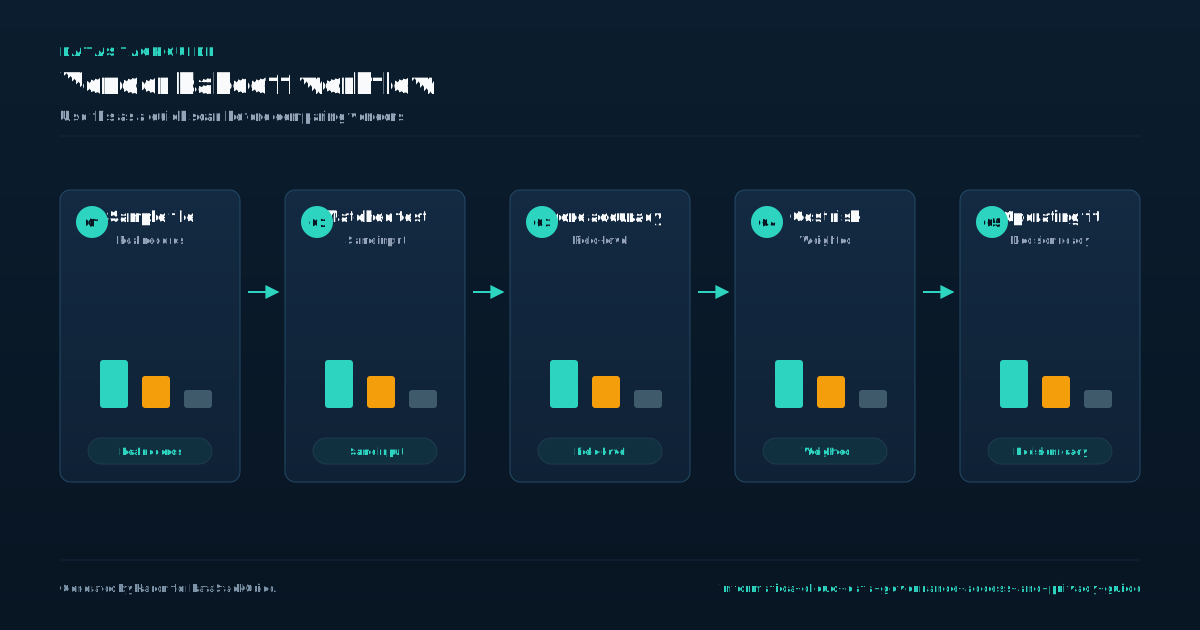
To set up data cataloging in Informatica Cloud without creating sprawl, start by scanning a small set of high-value data sources. Pick three to five sources that your team uses daily, such as a core sales database or a customer profile table.
- This focused approach prevents the noise that comes from scanning every file share or archive.
- In the Informatica Cloud interface, configure a scan connection for each source.
- Use the profiling option to sample data, not to index every row.
This reduces metadata volume and speeds up the catalog. After scanning, define business terms. Link each term to the technical metadata from your scan. For example, map the business term 'Customer ID' to the column 'cust_id' in your sales table.
This linkage is what makes the catalog useful for non-technical users. A common pitfall is over-scanning. Scanning too many sources at once floods the catalog with irrelevant assets, making it hard to find what matters. Another pitfall is under-scanning.
If you skip critical sources like a financial reporting database, users will not trust the catalog. To avoid both, expand gradually. After your initial sources are cataloged and terms are linked, add one or two new sources per week. Review the catalog with your team after each addition.
Remove any assets that no one uses. This iterative approach keeps the catalog lean and actionable. When buying Informatica Cloud, consider the number of source connectors you need. Each connector type may have separate licensing.
Start with connectors for your chosen high-value sources, then add more as your catalog grows.
Access Controls: Roles, Permissions, and Policies
Access controls in Informatica Cloud are easiest to reason about in three layers: who can administer the environment, who can steward governed assets, and who can consume data or reports. Treat those as role families, then map the exact permissions in your tenant to the way your organization works.
- Stewards should manage definitions, ownership, policy review, and data-quality workflows.
- Viewers or consumers should only see the assets and context they need to do their jobs.
- For resource-level permissions, decide who can view, edit, approve, publish, or retire specific assets like domains, glossaries, catalogs, policies, and marketplace items.
Admins should manage platform settings and integrations. This is where governance programs usually get messy. If every team invents its own permission model, your catalog becomes hard to operate. Policy-based access adds another layer.
You can define rules for sensitive fields, approved use cases, business purpose, region, department, or data classification. But enforcement depends on where the data lives and which protection method is available. A cloud warehouse may support masking or row filters. A legacy database, file export, or custom pipeline may need a different control path.
Before buying, confirm which of your data sources can actually enforce the policies you want. Start with one critical source, one sensitive data class, and one business workflow. Test the policy end to end before scaling to the rest of the estate.
Privacy Automation for GDPR, CCPA, and Beyond
Informatica's privacy capabilities can help teams discover sensitive data, classify it, understand where it lives, and support workflows tied to regulations like GDPR and CCPA. The useful pattern is straightforward: connect to priority data sources, scan for personal or sensitive information, classify the findings, then attach rules for retention, consent, access, protection, or deletion workflows.
- It cannot decide your legal basis for processing data.
- Be especially careful with false positives and false negatives.
- Pattern matching can find obvious identifiers like email addresses, names, account IDs, payment fields, and national identifiers.
That does not make privacy automatic. You still need to define what a data subject means in your business, how identifiers connect across systems, which retention rules apply, who approves exceptions, and what evidence you need when an auditor asks how a request was handled. Software can orchestrate the workflow.
It may miss custom IDs, inferred identifiers, or data embedded in notes and files. Run sampling reviews with legal, security, and data owners before trusting the classification model. The strongest use case is reducing manual work after your privacy definitions are clear. Start with one high-risk source, such as customer records or support data.
Prove that the scan, classification, review, and request workflow work there. Then expand to additional systems.
Data Lineage and Impact Analysis
Data lineage in Informatica Cloud shows you where data comes from, how it changes, and where it goes. It maps the path from source systems through transformations to final reports or dashboards. This is useful when you need to audit data for compliance, troubleshoot errors, or understand the impact of a change.
- However, lineage is only as good as the metadata you feed it.
- If you skip documenting custom scripts, external ETL jobs, or manual data loads, your lineage will have gaps.
- Informatica can auto-discover many sources, but it cannot read your mind.
You must manually add metadata for any process outside its reach. Impact analysis is a related feature that helps when you change a schema or a transformation rule. It shows you what downstream objects might break. This is valuable for planning changes without surprises.
But again, it depends on completeness. If your lineage is incomplete, impact analysis will miss dependencies. For buying guidance, consider how much custom or legacy ETL you have. If you rely heavily on hand coded scripts or third party tools, expect to invest time in metadata documentation.
Informatica offers connectors for common sources, but you will still need to map custom processes. Tradeoff: more manual effort upfront for accurate lineage versus accepting gaps that reduce trust in the analysis. For operators, start by inventorying all data flows, then prioritize documenting the ones critical to compliance or reporting.
This approach gives you the most value without overcommitting resources.
Integration with Your Existing Stack
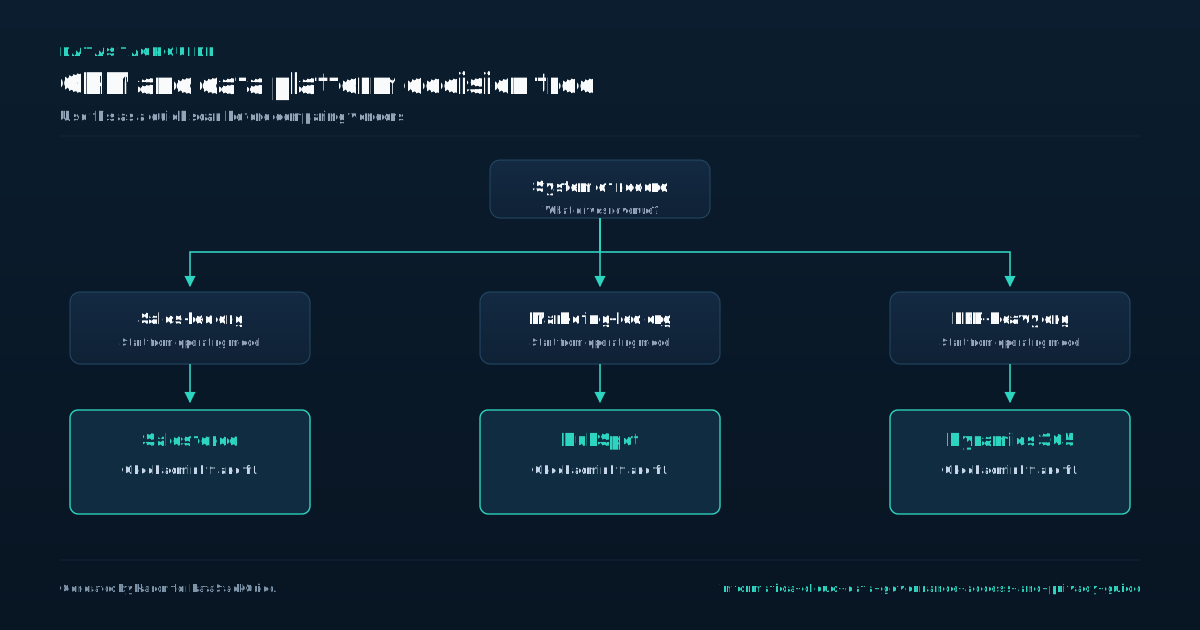
Informatica Cloud connects to many common data platforms out of the box. Supported targets include Snowflake, AWS Redshift, Azure Synapse, Google BigQuery, Salesforce, and SAP. These native connectors handle schema mapping and data type conversions automatically, which saves setup time.
- For less common sources like legacy databases or niche SaaS apps, you have two options: use the REST API to build custom connectors, or fall back to JDBC.
- The REST API gives you more control but requires development effort.
- JDBC is simpler but may lack performance tuning options.
If you plan to use many custom connectors, factor in extra engineering time. For single sign on, Informatica supports SAML and OAuth. SAML works well if your identity provider is Azure AD or Okta. OAuth is better for service to service integrations where you want token based access without user passwords.
Directory sync with Active Directory or Okta lets you manage user roles and permissions from your central directory. This reduces manual account management and helps enforce access policies consistently. However, directory sync can be tricky if your directory has nested groups or complex membership rules. Test your group structure before going live.
A practical tradeoff: native connectors are reliable but lock you into Informatica’s update cycle. Custom connectors give you flexibility but add maintenance overhead. For most operators, start with native connectors for your primary platforms and only build custom ones for data sources you cannot replace.
Plan for ongoing testing when your source systems update their APIs.
What the Documentation Doesn't Tell You
When you run Informatica Cloud Data Governance, Access, and Privacy in production, a few realities surface that product pages only hint at. First, catalog usefulness depends on curation. If you scan everything without ownership, definitions, and review cycles, search results become noisy and adoption drops.
- More metadata is not the same as better governance.
- Masking, row filters, access approvals, marketplace workflows, and data-sharing controls need to be tested against realistic workloads and user paths.
- A policy that looks correct in a workshop can still slow down analysis, block legitimate work, or miss a data movement path outside the governed workflow.
Second, policy enforcement has operational consequences. Third, commercial terms deserve close attention. Informatica positions governance and access capabilities as flexible, consumption-based services, which is useful, but it also means your real cost depends on the services you activate, the data estate you govern, and how usage grows. Get volume assumptions and support expectations in writing.
Finally, migrating from on-premise Informatica patterns to cloud is not a lift-and-shift exercise. Existing connectors, schedules, custom scripts, and stewardship processes may need redesign. Budget for implementation, cleanup, testing, and change management, not just licenses. The platform can be powerful, but the operating model matters as much as the software.
Cost Considerations and Vendor Negotiation
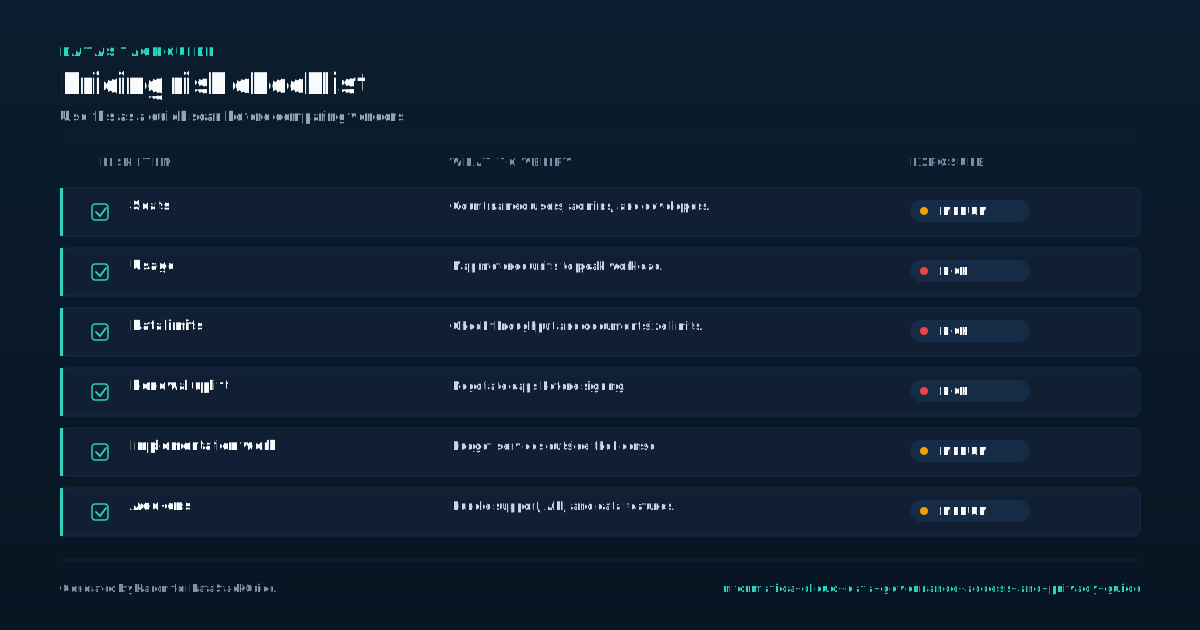
Informatica does not publish standard pricing for its Cloud Data Governance, Access, and Privacy products. Your final cost depends on three main factors: the number of users, the volume of data you manage, and which modules you select. Common modules include the data catalog, data privacy management, and data governance.
- You should request a detailed quote that lists every component separately.
- These apply when you exceed your licensed data volume or user count.
- Overage fees can increase your monthly bill significantly.
Each module adds to the base cost. Ask specifically about overage charges. Also ask whether the quote includes support and maintenance, or if those are separate line items. Before you commit, negotiate a proof of concept using your own data.
This lets you test how the tools handle your actual data sources, privacy rules, and governance workflows. A proof of concept also helps you estimate the real data volume and user count you need, so you can avoid overbuying or underbuying.
Tradeoffs to consider: a larger user license gives you more flexibility but costs more upfront. A smaller data volume license may be cheaper but can trigger expensive overage fees if your data grows. Focus on getting a clear, itemized quote and a hands-on trial before signing any contract.
Sources
Frequently Asked Questions
Does Informatica Cloud automatically classify all my data for privacy compliance?
No. It can scan and suggest classifications based on patterns (e. g. , credit card numbers), but you must review and confirm classifications.
Automated classification is a starting point, not a finish line.
Can I enforce row-level security on any database through Informatica?
Only if the underlying database supports it and you configure the policy correctly. Informatica pushes policies to the data source; it doesn't add security to databases that lack native row-level security.
How long does it take to set up the data catalog for a medium-sized organization?
It depends on data complexity and team size. A basic catalog with a few sources can be up in weeks, but full governance with policies and lineage often takes months. Plan for ongoing curation, not a one-time setup.
Is Informatica Cloud's privacy module enough to pass a GDPR audit?
It can help with data mapping and deletion requests, but an audit requires documented processes, not just software. You'll still need to define data subject access request workflows and retention schedules manually.
What happens if I exceed my licensed data volume?
Your contract determines what happens. Some enterprise software agreements allow expansion at negotiated rates, while others require a new quote or amendment. Ask about overage policies, data-volume measurement, support tiers, and renewal pricing before signing.

Rome Thorndike
Rome Thorndike is the CEO & Founder of Provyx, which provides GTM intelligence and data validation for healthcare companies, including EngagedMD and BTL Industries. He led sales at Datajoy, acquired by Databricks, and sold analytics and enterprise platforms at Microsoft and Salesforce.
Connect on LinkedIn