Salesforce Marketing Cloud Pricing Guide
Salesforce Marketing Cloud pricing is difficult to pin down because the platform bundles multiple products, each with its own cost structure. Some tools show a starting price publicly, while others require a direct sales quote. For most buyers, the real expense goes beyond the entry-level package. You need to account for contact tier costs, credit usage for emails and journeys, implementation fees, data integration work, and ongoing administration. This guide breaks down the actual cost of Marketing Cloud, including Marketing Cloud Account Engagement pricing, so you can compare plans accurately. We cover what drives the total price, from base subscriptions to hidden charges like overage credits and data storage. Whether you are evaluating a small deployment or an enterprise rollout, understanding these components helps you budget without surprises. By the end, you will know how to estimate your Salesforce Marketing Cloud cost based on your specific contact volume and feature needs.
Salesforce Marketing Cloud pricing explained: public starter prices, Account Engagement tiers, quote-based costs, add-ons, and evaluation advice.
Current Public Salesforce Marketing Prices
Salesforce's public pricing lists Marketing Cloud Next Growth Edition at $1,500 per org per month and Advanced Edition at $3,250 per org per month. Those are starting points for specific editions, not a guarantee of what a buyer will pay after contacts, messages, add-ons, support, and services are included.
- The biggest mistake is treating the public price as the full first-year budget.
- Marketing Cloud is a suite, and the quote changes when the buyer adds journeys, data products, personalization, SMS, multiple business units, or enterprise support.
- Use the public price to anchor the conversation, then ask Salesforce for a line-item quote that separates software, usage, services, support, and renewal assumptions.
That is the only way to compare it fairly against HubSpot, Marketo, Braze, Customer. io, or a smaller email automation tool. If a workflow does not need Salesforce-connected customer data, do not pay for a platform built around it.
Why Marketing Cloud Quotes Vary
Salesforce Marketing Cloud quotes vary because buyers are rarely pricing one simple product. The quote can change by edition, channel mix, data volume, add-on products, support needs, contract term, currency, and region.
- A buyer using email journeys only is not buying the same system as a team adding SMS, WhatsApp, personalization, Data Cloud connections, multiple business units, and advanced reporting.
- That is why the public price is only a starting anchor.
- The mistake is comparing Salesforce against HubSpot, Marketo, Braze, or Customer.
io by headline tier alone. You need to compare the workflow you will actually run. List every audience, channel, object, integration, and automation rule that must exist on day one. Then ask Salesforce to mark which line item covers each need and which items are add-ons.
Also ask how contacts, records, API calls, file hosting, support, and sandboxes are counted. If the rep cannot map your requirements to specific included features, pause the deal.
A clean quote should make the scope legible enough that finance, RevOps, and marketing can all see what is included, what is excluded, and what will trigger a higher tier later.
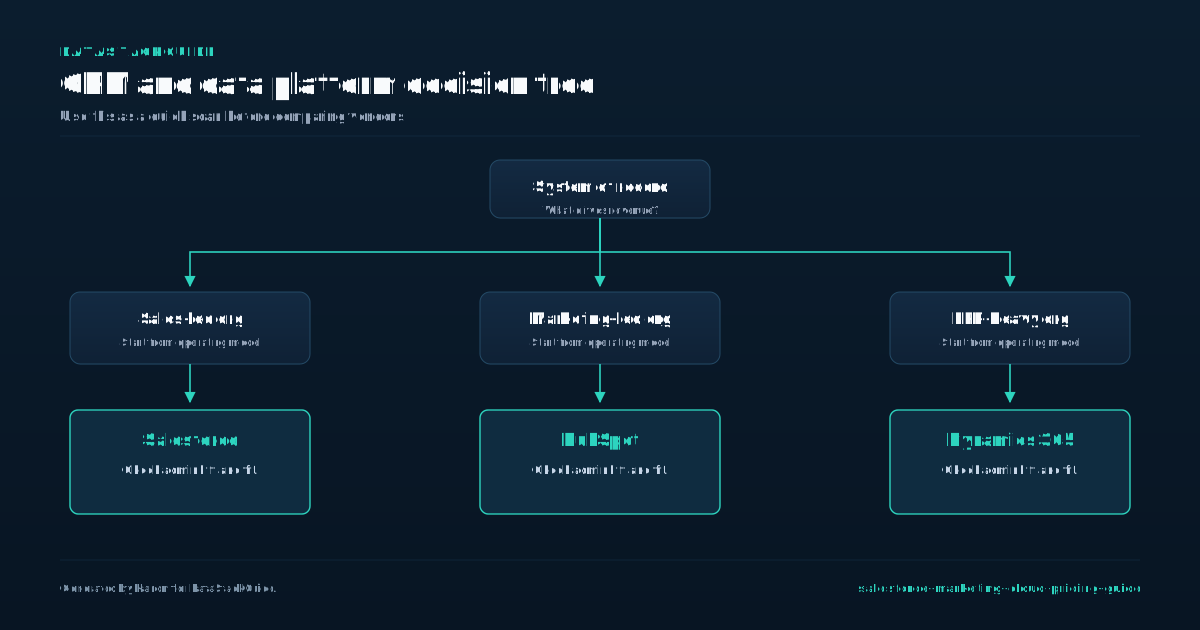
Account Engagement Pricing Explained
Salesforce's public Account Engagement pricing lists Growth+ at $1,250 per org per month, Plus+ at $2,750, Advanced+ at $4,400, and Premium+ at $15,000. Account Engagement is the B2B automation product many buyers still associate with Pardot.
- It is usually evaluated for lead nurture, scoring, forms, landing pages, campaign tracking, and sales handoff.
- It should not be priced as if it does the same job as Marketing Cloud Engagement.
- The buying question is whether your B2B marketing team needs Salesforce-native nurture and scoring deeply tied to CRM objects.
If the answer is yes, Account Engagement can make sense even when a simpler email tool looks cheaper. If the answer is no, HubSpot, ActiveCampaign, Customer. io, or Marketo may be easier to operate. Ask what contacts, automation rules, API needs, sandboxes, and support are included before comparing tiers.
Budget Lines Buyers Miss
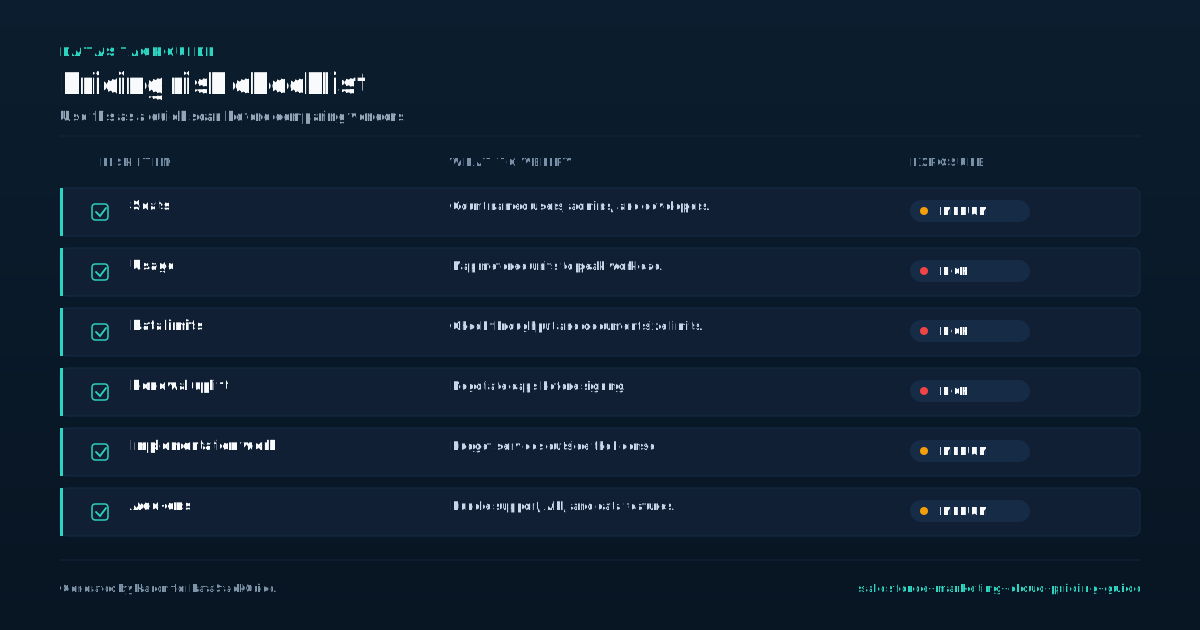
The license price is only one part of the budget. Buyers often miss data cleanup, CRM field mapping, email template migration, preference center work, authentication, IP warming, reporting setup, and ongoing admin time. Those costs do not always appear on the public pricing page, but they decide whether the platform works.
- Marketing Cloud can store and act on large customer data sets, but messy records turn into messy journeys.
- If duplicate contacts, stale consent fields, or unclear opt-out logic move into Marketing Cloud, the team pays for complexity before it sees value.
- The practical rule is to create a pre-contract implementation checklist.
Another missed line is data governance. Include the CRM objects that must sync, the fields that must be trusted, the consent rules that must be enforced, the journeys that must launch first, and the reports leadership expects. Then ask whether each item is included in the subscription, requires an add-on, or requires services.
Budget review should happen before signature, not after the first failed migration. A lower monthly subscription can still be the more expensive choice if it requires manual exports, custom scripts, or agency cleanup every campaign cycle.
Implementation and Admin Costs
Salesforce Marketing Cloud is not a plug-and-play email tool. Even when the subscription price is clear, implementation scope can change the first-year cost. Teams need to configure users, roles, sender authentication, data extensions, preference rules, journeys, campaign naming, reporting, and CRM sync behavior.
- If you are moving from a simpler system, you also need to migrate templates, lists, suppression rules, forms, and nurture logic without breaking attribution.
- The common mistake is treating implementation as a one-time vendor task.
- Someone has to own data quality, test journeys before launch, approve new fields, review failed syncs, and decide when old records should be archived.
It is really an operating model. If that owner does not exist, Marketing Cloud becomes a powerful system with no steering wheel. Ask for a written implementation scope with milestones, responsibilities, and acceptance criteria.
The scope should say who handles data mapping, who signs off on consent logic, who builds the first journeys, who trains users, and who fixes sync errors after launch. If your team cannot staff those responsibilities internally, include partner support in the budget before you compare Salesforce with lighter tools.
How to Compare Against HubSpot and Marketo
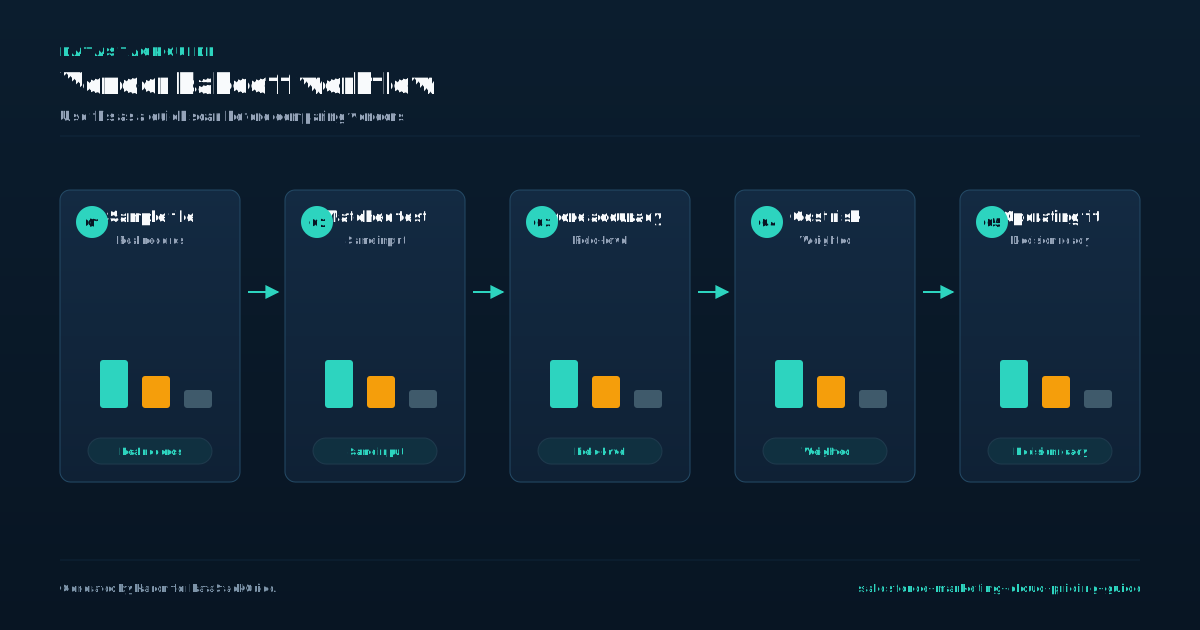
Do not compare Salesforce Marketing Cloud, HubSpot, and Marketo as if they are interchangeable email tools. They overlap, but they fit different operating models. HubSpot is usually easier for smaller teams that want CRM, landing pages, email, forms, and reporting in one admin-friendly system.
- Marketo is often evaluated by B2B teams that already have a mature lead lifecycle and want deeper scoring, nurture, and campaign operations.
- Salesforce Marketing Cloud makes the most sense when the buyer needs Salesforce-connected customer data, complex journeys, multiple channels, and stronger governance around enterprise campaigns.
- Build the same sample journey in each system: audience selection, consent check, email send, branch logic, sales notification, reporting, and suppression update.
The useful comparison is workflow-by-workflow. Then ask what tier or add-on each platform needs to run that workflow. A tool with a lower entry price can become expensive if it needs extra products, middleware, or manual work to match your process.
A higher-priced platform can be justified if it removes handoffs between CRM, data, and marketing. The decision rule is simple: choose the platform whose default model matches your operating reality, not the platform with the most attractive starter price.
When the Price Is Justified
The price is justified when marketing performance depends on connected customer data, multi-step journeys, and strict operational control. If your team runs one newsletter and a handful of simple nurture emails, Marketing Cloud is probably more system than you need.
- If your team coordinates lifecycle campaigns across brands, regions, products, sales teams, and customer segments, the extra structure can be worth it.
- The buying question is whether the platform will replace manual work that currently causes missed revenue, duplicate outreach, compliance risk, or slow campaign launches.
- Look for workflows where Salesforce data changes what the customer receives: sales stage, product usage, region, lifecycle status, renewal date, event attendance, or support history.
If those signals matter and your current system cannot use them reliably, Marketing Cloud deserves a serious look. If those signals do not matter, a simpler marketing automation tool may produce the same outcome with less admin load. Tie the price to business process, not feature admiration.
A tool is worth the cost when it lets the team run campaigns that would otherwise be too slow, too manual, or too risky to operate.
Pricing Questions Before You Sign
Before you sign, ask pricing questions that force the quote to match the real operating model. First, ask which product each workflow requires. Marketing Cloud Next, Account Engagement, Data Cloud, personalization, messaging, analytics, and support can sit in different parts of the Salesforce portfolio.
- Second, ask how Salesforce defines billable contacts, records, messages, API usage, file storage, and business units in your quote.
- Third, ask which features are included in the exact edition you are buying and which ones require add-ons.
- Fourth, ask what happens when usage grows: whether you move to a higher tier, pay overage, or renegotiate.
Fifth, ask what support level is included and what response times apply to production issues. Finally, ask for renewal assumptions in writing. A quote that looks fine in year one can become painful if discounts vanish or usage triggers a new tier at renewal. The tradeoff is not only price.
It is predictability. A good Salesforce Marketing Cloud deal gives marketing enough capability to execute, RevOps enough control to govern data, and finance enough clarity to forecast spend.
Tools Mentioned in This Guide
Related Categories
Sources
Frequently Asked Questions
How much does Salesforce Marketing Cloud cost?
Salesforce publicly lists Marketing Cloud Next Growth Edition at $1,500 per org per month and Advanced Edition at $3,250 per org per month, billed annually.
Account Engagement public pricing starts at $1,250 per org per month for Growth+, with higher tiers listed at $2,750, $4,400, and $15,000 per org per month.
Your actual quote can change based on products, add-ons, usage, support, and region.
Why is Salesforce Marketing Cloud pricing quote-based?
Pricing is quote-based because Salesforce Marketing Cloud can include different products, channels, data needs, support plans, and implementation scopes. Two buyers with the same public edition can still need different add-ons, integrations, and service plans.
Ask Salesforce for a line-item quote that maps each workflow to an included feature or add-on.
What hidden costs should buyers expect?
Expect costs around implementation, CRM integration, data cleanup, template migration, sender authentication, admin time, support, and add-ons. These may not appear in the public plan price, but they affect the first-year budget.
The safest move is to price the launch scope and the subscription together.
Is Salesforce Marketing Cloud cheaper than HubSpot?
Usually no for small teams. HubSpot is often cheaper and easier when the workflow is simple. Salesforce Marketing Cloud can make sense when the team needs Salesforce-connected customer data, complex journeys, multiple channels, and enterprise governance.
Compare the workflow, not only the starter price.
What should I include in a Salesforce Marketing Cloud pricing model?
Include the public edition price, required products, add-ons, implementation work, data cleanup, CRM integration, admin ownership, support tier, usage growth, and renewal assumptions.
The model should show what is included now, what triggers more spend later, and which business workflows justify the cost.

Rome Thorndike
Rome Thorndike is the CEO & Founder of Provyx, which provides GTM intelligence and data validation for healthcare companies, including EngagedMD and BTL Industries. He led sales at Datajoy, acquired by Databricks, and sold analytics and enterprise platforms at Microsoft and Salesforce.
Connect on LinkedIn