MuleSoft Products Guide (2026)
MuleSoft offers a range of products centered on the Anypoint Platform, but buyers rarely evaluate one simple tool. They evaluate an integration and API operating model: design APIs, connect systems, govern traffic, automate business processes, and give teams reusable building blocks for future work. This guide covers the full MuleSoft product lineup for 2026, including Anypoint Platform, Mule runtime engine, API Manager, Design Center, Exchange, and Anypoint Studio. It also covers newer offerings like Anypoint Service Mesh, Anypoint Partner Manager, and Anypoint Flex Gateway. Each product is described by its core function, typical use case, and how it fits into the broader integration strategy. The goal is to help you identify which MuleSoft tools match your specific needs, whether you are starting a new API program or scaling existing integrations. This guide provides a clear, direct look at what each product does and when to use it.
A practical guide to MuleSoft products: Anypoint Platform, API management, integration, automation, Composer, RPA, and when each matters.
What MuleSoft Products Are For
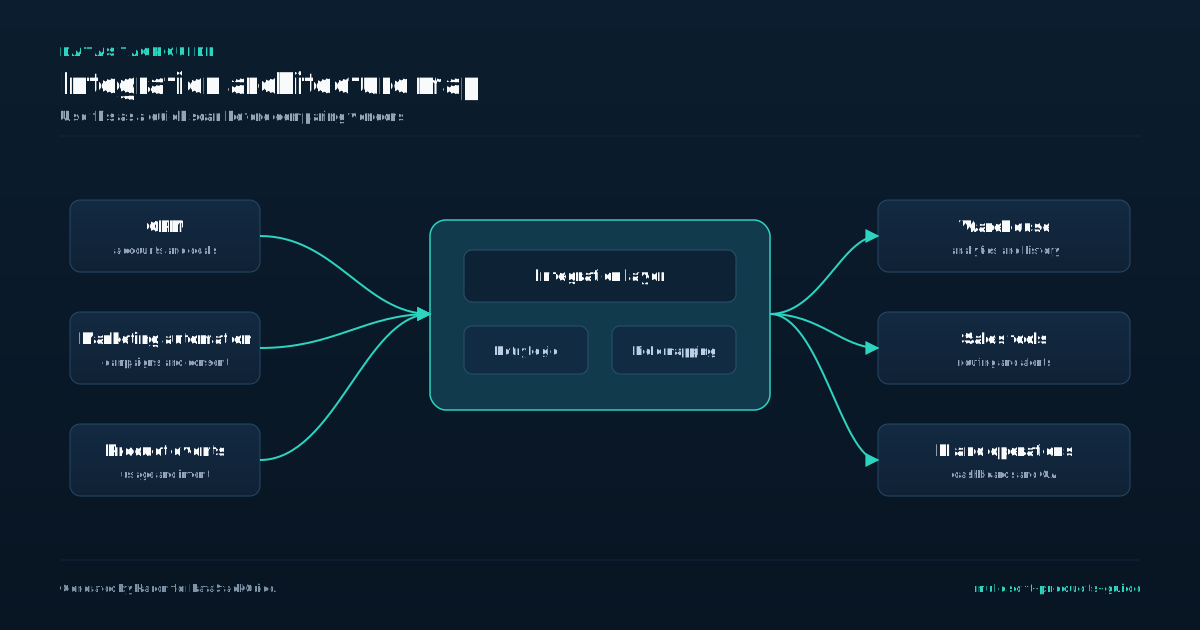
MuleSoft products exist to solve a specific operational problem: connecting applications, data, and devices across on-premise and cloud environments without writing custom integration code for every pair of systems. The Anypoint Platform is the core product, providing a unified design, management, and monitoring environment for APIs and integrations.
- A common mistake is treating MuleSoft as a general-purpose middleware or a simple data migration tool.
- It is purpose-built for API-led connectivity, meaning you design reusable APIs that act as building blocks for multiple integrations.
- For example, a retail company might use MuleSoft to connect its Salesforce CRM, NetSuite ERP, and warehouse management system, exposing a single customer order API rather than point-to-point connections between each pair.
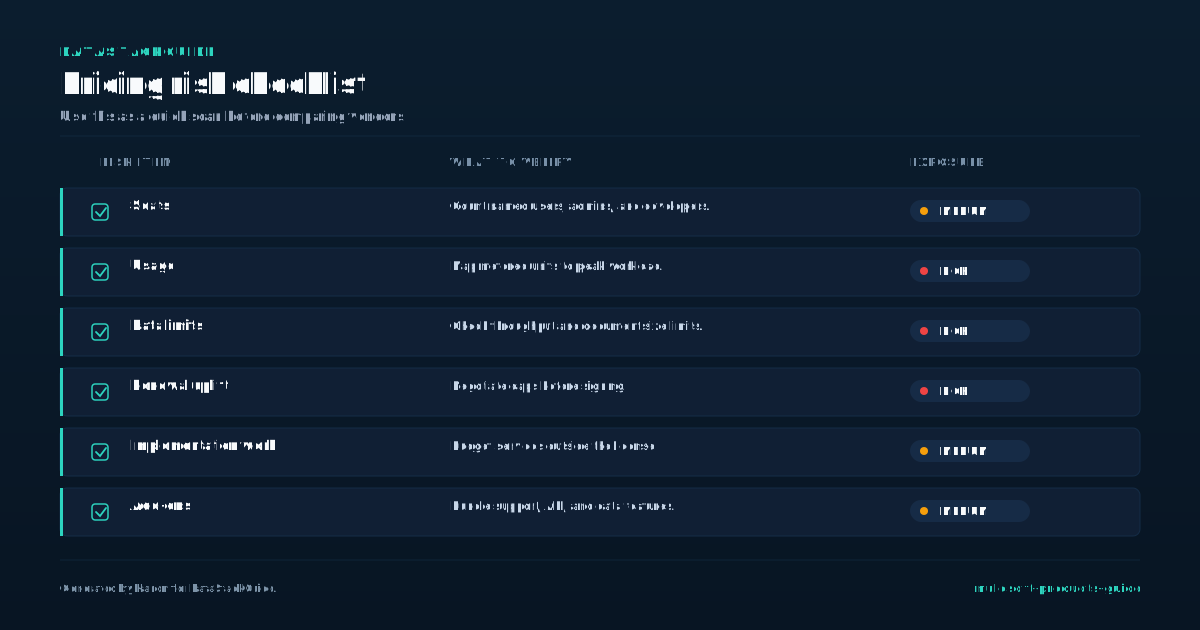
When evaluating MuleSoft products, consider the tradeoff between upfront platform cost and long-term maintenance savings. MuleSoft pricing is based on vCore capacity and API calls, which can escalate quickly if you connect many systems without governance.
A practical decision rule: if your integration landscape involves fewer than five systems and you expect minimal growth, a simpler iPaaS like Boomi or Workato may offer lower total cost. However, if you need strict API governance, reusable assets, and enterprise security controls, MuleSoft's Anypoint Platform justifies its premium.
The most concrete guidance for buyers is to map your integration patterns before selecting a product. MuleSoft excels at complex, event-driven integrations and API management, but it is overkill for simple file transfers or batch ETL jobs.
A mistake is buying MuleSoft for a single integration project without planning for reuse; the platform's value multiplies when you build a library of APIs that serve multiple consumers. If your team lacks API design experience, budget for training or consulting, because the platform's power depends on disciplined use of its design center and exchange.
Anypoint Platform in Plain English
Anypoint Platform is the single software product MuleSoft sells. It is not a collection of separate tools you buy a la carte. The platform bundles three core capabilities: an integration engine (Mule runtime), an API management layer, and a design studio called Anypoint Studio.
- When you see a vendor compare "MuleSoft pricing" against Boomi pricing or Workato pricing, they are comparing this bundled platform against those competitors' own bundled platforms.
- The mistake many buyers make is assuming they can buy only the runtime or only the API gateway.
- MuleSoft does not unbundle those components for separate purchase.
If you only need lightweight point-to-point syncs, Workato's per-connection pricing may cost less. If you need heavy custom API policies and on-premises runtime management, Anypoint Platform's all-in-one bundle often justifies its higher base price.
A concrete decision rule: if your team has fewer than three integration developers and your integrations are all SaaS-to-SaaS, Anypoint Platform is probably overkill. The design studio requires Java knowledge and a local IDE installation, which adds onboarding time.
Boomi's low-code visual builder or Workato's recipe-based approach will get your first integration running in days instead of weeks.
However, if you must enforce strict API rate limits, manage OAuth flows for external partners, or deploy integrations to a private data center, Anypoint Platform's built-in API gateway and on-premises runtime give you control that Boomi and Workato cannot match without add-on products. The tradeoff is architectural flexibility versus operational simplicity.
Anypoint Platform forces you to think in terms of APIs and reusable assets from day one. That discipline pays off when you have dozens of integrations, but it punishes teams that just want to move a single file from Salesforce to NetSuite. Before you evaluate pricing, map your next three integration projects.
If all three are simple point-to-point flows, choose a simpler tool. If at least one requires custom API policies or on-premises deployment, Anypoint Platform becomes the practical default.
API Design and API Management
API design and management in MuleSoft is where your integration strategy either gains speed or stalls. The Anypoint Platform provides a dedicated API Designer tool that lets you build RAML or OAS specs before writing any code.
- This design-first approach forces you to define endpoints, data types, and error responses upfront, which prevents the common mistake of treating APIs as afterthoughts.
- The tradeoff is that design-first requires upfront planning time that some teams resist, but the decision rule is simple: if more than two applications will consume an API, design it first.
- The management layer in Anypoint includes API Manager for applying policies like rate limiting, OAuth enforcement, and IP whitelisting without touching code.
This is where MuleSoft pricing becomes relevant because API Manager is licensed per API instance, not per call. A common mistake is buying too many instances for internal APIs that only serve one app, when a simple proxy would suffice.
Compare this to Boomi pricing, which bundles API management into their enterprise tier, or Workato pricing, which charges per connection rather than per API. For B2B buyers, the practical guidance is to audit your API portfolio first: batch your high-traffic public APIs into shared instances and use lightweight proxies for low-volume internal ones.
The real decision point comes when you need to version and retire APIs. MuleSoft lets you run multiple versions simultaneously and redirect traffic gradually, but this adds operational overhead.
A useful rule: if you have more than three active versions of the same API, you are paying for complexity you should eliminate by deprecating old versions on a fixed schedule. The tradeoff is that aggressive deprecation frustrates slow-moving partners, while lenient versioning bloats your management costs.
For most teams, a 12-month deprecation window with six months of parallel run is the practical sweet spot.
Integration Development and DataWeave
Integration development in MuleSoft centers on Anypoint Platform, where DataWeave is the primary scripting language for transforming data between formats like JSON, XML, and CSV. A common mistake buyers make is assuming DataWeave is optional or interchangeable with generic scripting.
- This directly impacts development speed and maintenance cost.
- When evaluating MuleSoft against Boomi or Workato, the tradeoff is clear: MuleSoft demands stronger technical skill in DataWeave and Mule XML configuration, while Boomi and Workato offer more visual mapping with less code.
- If your team has experienced integration developers, MuleSoft's flexibility in complex transformations and error handling gives you finer control.
For a B2B integration handling purchase orders from an ERP to a CRM, you can write a single DataWeave script to flatten nested order lines into a flat CSV file, rather than building multiple transformation steps. If your team relies on business analysts or low-code specialists, Boomi or Workato may reduce ramp-up time.
A practical decision rule is to run a proof of concept with a single complex data mapping. If your team completes it in under two days with DataWeave, MuleSoft is a strong fit. If not, consider the alternatives.
Pricing for MuleSoft Anypoint Platform is based on vCore consumption and API calls, which can escalate quickly if you overprovision cores for low-throughput integrations. A concrete example: a mid-market company paying for four vCores to run ten simple file transfers might be better served by Boomi's per-connection pricing or Workato's per-task model.
Avoid the mistake of buying MuleSoft for all integrations; reserve it for high-complexity, high-volume workflows where DataWeave's power justifies the cost. For simple point-to-point syncs, a lighter tool saves money and maintenance overhead.
Runtime, Monitoring, and Governance
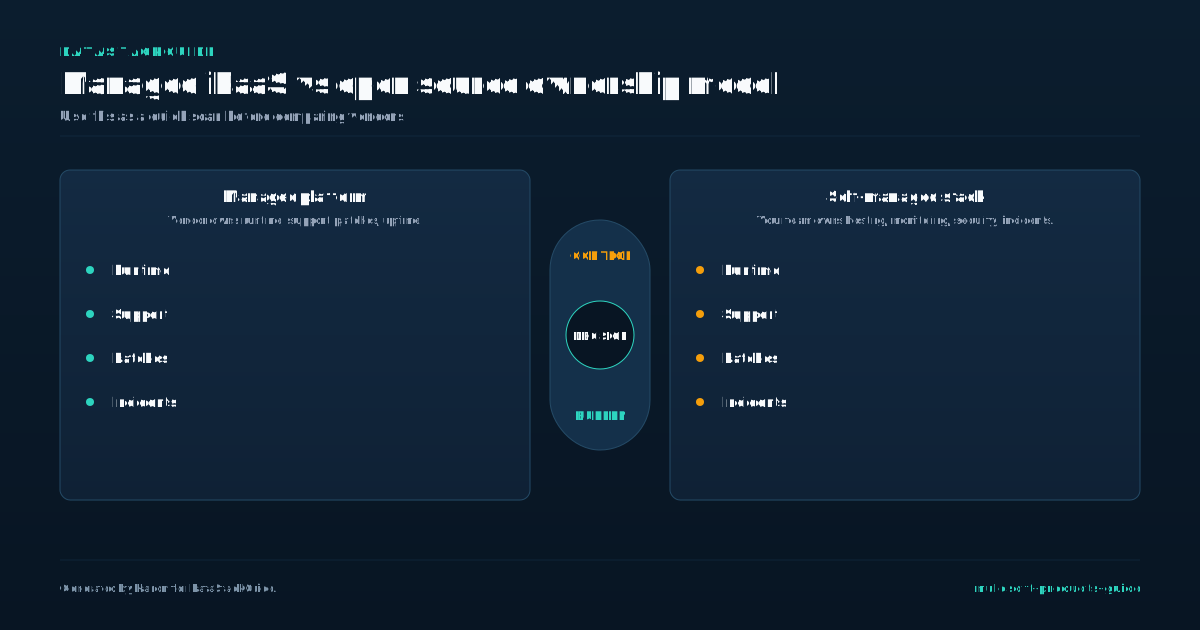
The runtime environment is where your integrations actually execute, and MuleSoft offers two distinct paths: the self-managed Mule runtime engine and the fully managed CloudHub. CloudHub handles infrastructure scaling and uptime automatically, which suits teams that want to avoid operational overhead, but it comes with per-core pricing that can escalate quickly as traffic grows.
- If you run high-volume batch processing or have strict data residency requirements, the self-managed runtime gives you control over hardware and network placement, though you then own the patching, monitoring, and failover configuration.
- Monitoring in Anypoint Platform centers on the Anypoint Monitoring dashboard, which provides prebuilt metrics for throughput, error rates, and memory usage.
- The tradeoff here is that out-of-the-box dashboards are useful for operational health checks but lack the granularity needed for debugging slow transactions or pinpointing API endpoint bottlenecks.
You should plan to export raw logs to a dedicated observability tool like Splunk or Datadog if your team regularly investigates performance regressions. A practical decision rule: if your average integration latency exceeds 500 milliseconds, invest in custom log parsing before scaling to more than a broader API estate.
Governance is often the overlooked layer that prevents production incidents. MuleSoft's API Manager enforces rate limits, OAuth policies, and versioning rules centrally, which stops developers from accidentally deploying breaking changes. The mistake many buyers make is treating governance as a post-launch concern; instead, enforce API policies from the first published endpoint.
Compare this with Boomi's lighter governance model, which works for small teams but lacks the role-based approval workflows that enterprises need when multiple departments publish APIs. Workato's governance is even more minimal, relying on folder permissions rather than policy-driven controls.
For any deployment with more than five API producers, invest in MuleSoft's governance features upfront to avoid retrofitting access controls later.
Composer, Automation, and RPA
MuleSoft's Composer, Automation, and RPA offerings sit between its core integration platform and full IT-led projects. Composer lets business analysts build simple integrations using a visual canvas, no coding required. A marketing manager can connect Salesforce leads to a Marketo campaign in under an hour.
- Composer handles point-to-point flows well but breaks down when you need error handling, complex transformations, or multi-step orchestration.
- If your integration requires conditional logic across three systems, skip Composer and use Anypoint Platform directly.
- Automation expands on Composer by adding scheduled triggers and human-in-the-loop steps.
The tradeoff is scope. A finance team can automate invoice approval by pulling data from NetSuite, sending a Slack notification, and waiting for a manager's click before posting payment. The mistake buyers make is treating Automation as a full RPA replacement. It works for event-driven tasks with structured APIs.
It fails when you need to scrape a legacy green-screen app or interact with a desktop application that has no API. For those cases, MuleSoft's RPA offering uses attended and unattended bots that mimic human clicks and keystrokes. The decision rule is simple. If every system in your flow has a modern API, use Automation.
If you must touch a legacy terminal or a PDF form, buy RPA. Pricing for RPA is per bot runtime, while Automation is per flow execution. Compare that to Boomi's bundled RPA or Workato's recipe-based automation.
MuleSoft's advantage is a single vendor for both API-led integration and robotic process automation, but you pay a premium for that unity.
When MuleSoft Is Too Much Tool
MuleSoft's official pricing is quote-based, which is a useful signal by itself: this is enterprise integration software, not a lightweight automation subscription. When MuleSoft Is Too Much Tool MuleSoft Anypoint Platform is built for complex enterprise integration, but its power comes with weight.
- The full platform demands dedicated administrators, API governance teams, and often a separate MuleSoft architect.
- One logistics firm we advised spent eight months building a single Salesforce-to-NetSuite sync on MuleSoft, only to discover Boomi could have done the same work in three weeks with one part-time administrator.
- The mistake is treating MuleSoft as the default integration tool rather than matching tool complexity to actual integration volume.
The decision rule is simple: count your integration endpoints. If you have fewer than 15 distinct systems to connect and your data flows are mostly point-to-point syncs, MuleSoft is likely overkill. Workato pricing for similar workloads often lands at half the cost with faster setup times, especially for organizations that lack dedicated Java developers.
The tradeoff is governance versus speed. MuleSoft gives you enterprise-grade API management, security policies, and reusable assets. But if your team is small and your integrations are straightforward, that governance becomes friction.
A better approach is to start with a lighter platform like Boomi or Workato, then migrate to MuleSoft only when you need centralized API management across dozens of teams. The key is matching platform depth to actual integration complexity, not to vendor reputation.
Product Selection Checklist
Start with your integration volume and use case complexity. MuleSoft Anypoint Platform excels in large enterprises with heavy API management requirements, complex on-premise to cloud workflows, and teams that need governance across hundreds of endpoints.
- If your team has fewer than five integration developers and your primary need is simple app-to-app syncs, MuleSoft's licensing and infrastructure overhead will likely exceed your budget and operational capacity.
- Compare MuleSoft pricing against Boomi pricing for mid-market fits and Workato pricing for low-code speed.
- A common mistake is buying the full Anypoint Platform suite when you only need basic orchestration.
Start with a 30-day proof of concept on a single high-volume flow, not a full rollout. Your decision rule should be: if your average integration takes more than two weeks to build with native connectors, MuleSoft's design center and prebuilt templates will save time.
If you can finish in two days with a simpler tool, you are paying for capacity you will not use. Tradeoffs matter here. MuleSoft gives you deep control over error handling and security policies, but that control comes with a steeper learning curve and longer deployment cycles.
Teams that rush into production without proper API specification design often face costly rework. Plan for at least one dedicated architect if you choose MuleSoft for more than 10 integrations. For smaller teams, consider whether a lighter iPaaS with fixed pricing per connection better matches your growth trajectory.
Tools Mentioned in This Guide
Related Categories
Sources
Frequently Asked Questions
What are the main MuleSoft products?
The main MuleSoft products are Anypoint Platform, Mule Runtime Engine, and Anypoint Exchange. Anypoint Platform provides tools for API design, management, and integration. Mule Runtime Engine executes integrations and APIs.
Anypoint Exchange is a library of reusable connectors, templates, and APIs. Additional products include Anypoint Monitoring for performance tracking and Anypoint Security for threat protection.
Is MuleSoft only for APIs?
No, MuleSoft is not only for APIs. While its Anypoint Platform excels at API design and management, the core product, Mule runtime engine, is an integration platform. It connects applications, data, and devices across on-premises and cloud environments.
MuleSoft tools handle system-to-system data flows, batch processing, and event-driven architectures. APIs are a key output, but the software's primary function is broader integration.
What is MuleSoft Composer?
MuleSoft Composer is a low-code integration tool for business users. It connects SaaS applications and data sources using prebuilt connectors and a visual interface, requiring no coding. Composer automates workflows like syncing Salesforce with NetSuite or Slack.
It is a lighter alternative to Anypoint Platform for simpler tasks, but lacks advanced features for complex enterprise integrations.
Who should use MuleSoft?
MuleSoft is for integration developers, API architects, and IT teams who need to connect applications, data, and devices across on-premises and cloud environments. Business analysts use it to build integrations with low-code tools.
Organizations adopting an API-led connectivity approach benefit from its design, management, and governance capabilities. It suits enterprises with complex hybrid systems requiring reusable integrations and centralized API management.
Which MuleSoft products should I understand first?
MuleSoft products are a unified software suite for application and data integration. The core product is Anypoint Platform, which includes tools for API design, deployment, and management.
Key products are Mule runtime engine for integrations, Anypoint Studio for development, API Manager for governance, and Anypoint Exchange for sharing assets. These tools connect applications, data, and devices across on-premises and cloud environments.

Rome Thorndike
Rome Thorndike is the CEO & Founder of Provyx, which provides GTM intelligence and data validation for healthcare companies, including EngagedMD and BTL Industries. He led sales at Datajoy, acquired by Databricks, and sold analytics and enterprise platforms at Microsoft and Salesforce.
Connect on LinkedIn